Activates on Steam. Region: Europe.

Activates on Steam. Region: Global.
Zeritum
Activates on Steam. Region: Global.
In stock at its regular priceIn stock
Delivered to your account, usually within minutes after payment is confirmed.
Card payment on a hosted page with 3-D Secure.



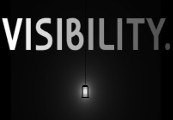
Visibility Steam CD Key Platform: Steam Release Date: 25/05/2015 Product Description Visibility is a platformer with a unique twist. It is completely dark. That is until you place your lights, of course. Each level has a limited set of lights which you must strategically place around the level in order to illuminate your path to the exit. The challenge isn't over once you've got your lights in the right place, however. The platforming itself is a different challenge of its own, offering awkward jumps and varying traps that you will not be able to navigate safely if you have not lit up the level correctly. As there are no specific light locations, each one of the 20 levels have their own unique solution that you will create as you play. If you're not particularly efficient with your lighting then you may be forced to run through a section of a level completely unaided with only hope (or your memory) to save you. System Requirements OS: Windows XP Processor: 2.0GHz Memory: 1 GB RAM Graphics: Must be OpenGL 2.0 compatible Hard Drive: 30 MB available space Additional Notes: Java is required.
You need a Steam account and the Steam app.
Go to: http://store.steampowered.com/ and download STEAM client Click "Install Steam" (from the upper right corner) Install and start application, login with your Account name and Password (create one if you don't have). Please follow these instructions to activate a new retail purchase on Steam: Launch Steam and log into your Steam account. Click the Games Menu. Choose Activate a Product on Steam... Follow the onscreen instructions to complete the process. After successful code verification go to the "MY GAMES" tab and start downloading.
More action on Steam, in board order.
Activates on Steam. Region: Europe.
Activates on Steam. Region: Global.

Activates on Steam. Region: Global.

Activates on Steam. Region: Global.

Activates on Steam. Region: Global.
