Activates on Steam. Region: Europe.

Activates on Steam. Region: Global.
Activates on Steam. Region: Global.
In stock at its regular priceIn stock
Delivered to your account, usually within minutes after payment is confirmed.
Card payment on a hosted page with 3-D Secure.



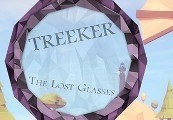
Treeker: The Lost Glasses Steam CD Key Platform: Steam Release Date: 13/05/2015 Product Description Treeker: The Lost Glasses is a first-person adventure game, with puzzle and platform elements. In the game, the player needs to use a pair of glasses in order to see mysterious objects left behind by some sort of ancient civilization. Across the centuries, pirates and treasure hunters mysteriously appear with a pair of uncanny glasses. But suddenly as they are revealed, they disappear from sight leaving no hint of what that object truly is. They must be the same glasses, in different times, but you are the only one to realize that, and travel in search for this treasure to unfold its secrets. Use the lens to advance in the game, and discover the secrets of these forgotten islands. System Requirements OS: Windows 7 Processor: Dual Core 2.4 GHz Memory: 2 GB RAM Graphics: NVIDIA GeForce 9500GT / AMD Radeon HD 5570 DirectX: Version 9.0c Hard Drive: 250 MB available space
You need a Steam account and the Steam app.
Go to: http://store.steampowered.com/ and download STEAM client Click "Install Steam" (from the upper right corner) Install and start application, login with your Account name and Password (create one if you don't have). Please follow these instructions to activate a new retail purchase on Steam: Launch Steam and log into your Steam account. Click the Games Menu. Choose Activate a Product on Steam... Follow the onscreen instructions to complete the process. After successful code verification go to the "MY GAMES" tab and start downloading.
More adventure on Steam, in board order.
Activates on Steam. Region: Europe.
Activates on Steam. Region: Global.

Activates on Steam. Region: Global.

Activates on Steam. Region: Global.

Activates on Steam. Region: Global.