Activates on Steam. Region: Europe.

Activates on Steam. Region: Global.
Wevr · 2016
Activates on Steam. Region: Global.
In stock at its regular priceIn stock
Delivered to your account, usually within minutes after payment is confirmed.
Card payment on a hosted page with 3-D Secure.



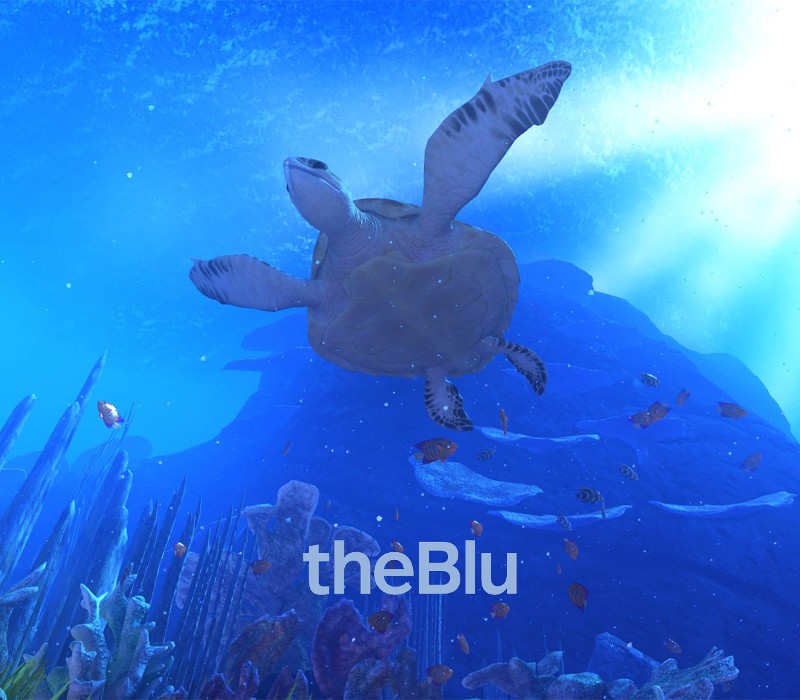
theBlu: is a deeply immersive VR series that allows audiences to experience the wonder and majesty of the ocean through different habitats and come face to face with some of the most awe inspiring species on the planet. The series, which is directed by Jake Rowell (Call of Duty, Final Fantasy, Superman Returns), has been designed as beautiful moments in passing or a collection of memories that powerfully tap into the vast potential of VR. The debut episode, featuring an incredible close encounter with an 80 foot whale, is already recognized as one the most iconic room scale VR experiences to date (a Sundance Film Festival 2016 selection). Additional episodes in this bundle take place on a teeming coral reef and in the very deepest region of the ocean. Gain access to new modes of discovery in each episode. Slow time and capture pictures in Inspector Mode, and return to a meditative version of each location in Ambient Mode. Features Whale Encounter - An undersea encounter with the largest species on earth. Reef Migration - Witness the magnificence of an undersea migration on the edge of a coral reef. Luminous Abyss - Venture into the deepest region of the ocean to discover the iridescent abyss.
You need a Steam account and the Steam app.
Go to: http://store.steampowered.com/ and download STEAM client Click "Install Steam" (from the upper right corner) Install and start application, login with your Account name and Password (create one if you don't have). Please follow these instructions to activate a new retail purchase on Steam: Launch Steam and log into your Steam account. Click the Games Menu. Choose Activate a Product on Steam... Follow the onscreen instructions to complete the process. After successful code verification go to the "MY GAMES" tab and start downloading.
More adventure on Steam, in board order.
Activates on Steam. Region: Europe.
Activates on Steam. Region: Global.

Activates on Steam. Region: Global.

Activates on Steam. Region: Global.
Activates on Steam. Region: Global.