Activates on Steam. Region: Europe.

Activates on Steam. Region: Global.
Activates on Steam. Region: Global.
In stock at its regular priceIn stock
Delivered to your account, usually within minutes after payment is confirmed.
Card payment on a hosted page with 3-D Secure.



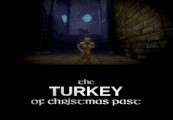
The Turkey of Christmas Past Steam CD Key Platform: Steam Release Date: 19/12/2016 Product Description The Turkey of Christmas Past is a third person, swordplay orientated, action game about Tom de Cat, master swordsman, and his one cat stand against the Turkey menace. With a fowl army hell bent on destroying Christmas, Tom is our last and only hope. The Turkey of Christmas Past is set in turkey HQ with a zombie like mechanic. Tom must use all of his abilities, including swordplay, ranged attacks, mousetraps, and his inner Felid Power, to prevail. The game features high quality environments and models, motion captured animations, and an original soundtrack. It blends frantic gameplay and epic action with a touch of absurdist humour. Caution: May Contain Turkey System Requirements OS: Windows 7 Processor: Core i5-3210M 2.5GHz Memory: 4 GB RAM Graphics: Radeon HD 7730M DirectX: Version 11 Storage: 3 GB available space
You need a Steam account and the Steam app.
Go to: http://store.steampowered.com/ and download STEAM client Click "Install Steam" (from the upper right corner) Install and start application, login with your Account name and Password (create one if you don't have). Please follow these instructions to activate a new retail purchase on Steam: Launch Steam and log into your Steam account. Click the Games Menu. Choose Activate a Product on Steam... Follow the onscreen instructions to complete the process. After successful code verification go to the "MY GAMES" tab and start downloading.
More action on Steam, in board order.
Activates on Steam. Region: Europe.
Activates on Steam. Region: Global.

Activates on Steam. Region: Global.

Activates on Steam. Region: Global.

Activates on Steam. Region: Global.
