Activates on Steam. Region: Europe. Downloadable content.
Activates on Steam. Region: Global. Downloadable content.
DuCats Games Studio
Activates on Steam. Region: Global. Downloadable content.
In stock at its regular priceIn stock
Delivered to your account, usually within minutes after payment is confirmed.
Card payment on a hosted page with 3-D Secure.


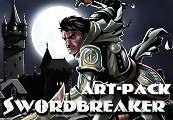
Swordbreaker The Game - All In-game Scenes HD Wallpapers + Game OST Steam CD Key Platform: Steam Release Date: 24/02/2016 Product Description Requires the base game Swordbreaker The Game on Steam in order to play. This DLC contains 324 in-game scene + 9 ending scenes in full HD quality (1920x1080p), so you can set any of them as wallpaper for your PC Desktop. Also we add all in-game music into this. All scenes and OST you can find in game folder, open game properties in Steam, click "Show local files." System Requirements PC System Requirements: OS: Windows 7, 8, 10 Processor: Intel Core2Duo or higher Memory: 2 GB RAM Graphics: Any videocards Mac System Requirements: OS: El Capitan Processor: Intel Core2Duo or higher Memory: 2 GB RAM Graphics: Any videocards Storage: 600 MB available space
You need a Steam account and the Steam app.
Go to: http://store.steampowered.com/ and download STEAM client Click "Install Steam" (from the upper right corner) Install and start application, login with your Account name and Password (create one if you don't have). Please follow these instructions to activate a new retail purchase on Steam: Launch Steam and log into your Steam account. Click the Games Menu. Choose Activate a Product on Steam... Follow the onscreen instructions to complete the process. After successful code verification go to the "MY GAMES" tab and start downloading.
More adventure on Steam, in board order.
Activates on Steam. Region: Europe. Downloadable content.
Activates on Steam. Region: Europe. Downloadable content.

EN AR CH +9 · Needs the base gameDLC
Activates on Steam. Region: Global. Downloadable content.
Activates on Steam. Region: Global. Downloadable content.
Activates on Steam. Region: Global. Downloadable content.