Activates on Steam. Region: Europe.

Activates on Steam. Region: Global.
Activates on Steam. Region: Global.
In stock at its regular priceIn stock
Delivered to your account, usually within minutes after payment is confirmed.
Card payment on a hosted page with 3-D Secure.



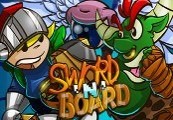
Sword 'N' Board Steam CD Key Platform: Steam Release Date: 29 Jan, 2016 Product Description In Sword 'N' Board, you play as Sidd a young kid going on a pretend adventure in his backyard in search of his missing video game console! You'll fight through imaginary monsters, find secrets and solve puzzles using the items you find on your adventure. Each of your items can be combined with other items in your inventory to enhance their uses! All of your items and their item combinations will be able to be used to fight monsters and solve puzzles during your adventure! As you find more and more items and unlock additional item combinations the puzzles will only become more complicated and difficult! Features Blacksmith to craft forged items and upgrade stats! Unique item combinations. Unique blend of hand drawn assets and pixel art! Multiple save slots A constantly growing Overworld to explore Hard to find secrets! (No hand holding here!) System Requirements OS: Windows 7 or Higher Processor: TBD Memory: 2 GB RAM Graphics: TBD DirectX: Version 9.0 Sound Card: TBD Additional Notes: This game is still in development
You need a Steam account and the Steam app.
Go to: http://store.steampowered.com/ and download STEAM client Click "Install Steam" (from the upper right corner) Install and start application, login with your Account name and Password (create one if you don't have). Please follow these instructions to activate a new retail purchase on Steam: Launch Steam and log into your Steam account. Click the Games Menu. Choose Activate a Product on Steam... Follow the onscreen instructions to complete the process. After successful code verification go to the "MY GAMES" tab and start downloading.
More action on Steam, in board order.
Activates on Steam. Region: Europe.
Activates on Steam. Region: Global.

Activates on Steam. Region: Global.

Activates on Steam. Region: Global.

Activates on Steam. Region: Global.
