Activates on Steam. Region: Global.

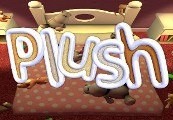
Activates on Steam. Region: Global.
Activates on Steam. Region: Global.
In stock at its regular priceIn stock
Delivered to your account, usually within minutes after payment is confirmed.
Card payment on a hosted page with 3-D Secure.



Plush Steam Key Platform: Steam Release Date: 13/02/2015 Product Description Plush combines stuffed animal simulation with the imagination of a little girl to provide a unique puzzle experience. To successfully complete each level, the player must arrange the stuffed animals in such a way as to make them all "happy" before bedtime. Each stuffed animal has it's own preferences (and physics), so this is easier said than done. Despite the relaxing atmosphere, make no mistake, 'Easy' difficulty is enjoyable for kids and casual gamers, 'Normal' and 'Hard' are a challenge that any puzzle gamer can appreciate. Features 40 puzzle levels and 3 difficulty options Free play mode* (Play Room) Steam Leaderboards† & Achievements Colorblind mode Unlockable Sound Board There is no software defined limit to how many stuffed animals (and toy tanks) you can spawn in the Play Room. How many animals can be spawned before a drop in frame rates is notices will depend on your hardware and graphics settings. †Leaderboards will not display in-game while the timer is hidden. System Requirements PC System Requirements OS: Win XP Processor: Intel Core Memory: 1 GB RAM DirectX: Version 9.0 Hard Drive: 150 MB available space Mac System Requirements OS: 10.6.8 Processor: Intel Core Memory: 1 GB RAM Hard Drive: 150 MB available space Linux / SteamOS System Requirements OS: Ubuntu 12.04 Processor: Intel Core Memory: 1 GB RAM Hard Drive: 150 MB available space
You need a Steam account and the Steam app.
Go to: http://store.steampowered.com/ and download STEAM client Click "Install Steam" (from the upper right corner) Install and start application, login with your Account name and Password (create one if you don't have). Please follow these instructions to activate a new retail purchase on Steam: Launch Steam and log into your Steam account. Click the Games Menu. Choose Activate a Product on Steam... Follow the onscreen instructions to complete the process. After successful code verification go to the "MY GAMES" tab and start downloading.
More simulation on Steam, in board order.
Activates on Steam. Region: Global.
Activates on Steam. Region: Global.

Activates on Steam. Region: Global.

Activates on Steam. Region: Global.

Activates on Steam. Region: Global.
