Activates on Steam. Region: Global. Downloadable content.

Activates on Steam. Region: Global. Downloadable content.
2020
Activates on Steam. Region: Global. Downloadable content.
In stock at its regular priceIn stock
Delivered to your account, usually within minutes after payment is confirmed.
Card payment on a hosted page with 3-D Secure.



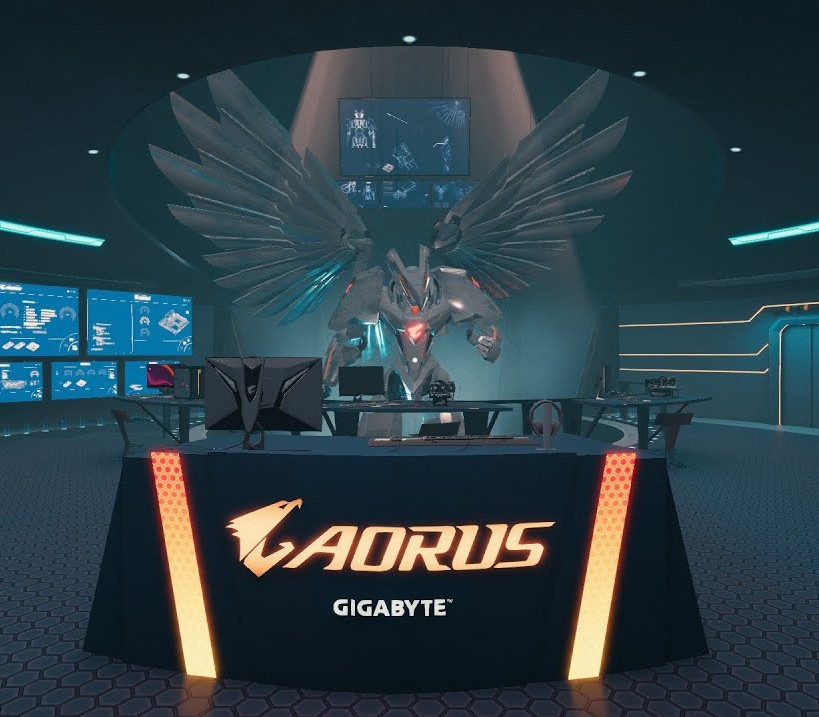
Grab your lab coat and clipboard: this is your chance to build PCs in the top secret PC and robotic development facility of the renowned AORUS gaming brand!This futuristic underground lab workshop is packed with visual flavour from the AORUS team, including a customisable version of their famous AORUS Robot.Once purchased, you can use this workshop in both Career and Free Build modes of the game, and switch between available workshops whenever you feel like a change of scenery. Features Brand new AORUS themed design and aesthetic New workshop layout Customisable AORUS Robot!
You need a Steam account and the Steam app.
Go to: http://store.steampowered.com/ and download STEAM client Click "Install Steam" (from the upper right corner) Install and start application, login with your Account name and Password (create one if you don't have). Please follow these instructions to activate a new retail purchase on Steam: Launch Steam and log into your Steam account. Click the Games Menu. Choose Activate a Product on Steam... Follow the onscreen instructions to complete the process. After successful code verification go to the "MY GAMES" tab and start downloading.
More simulation on Steam, in board order.
Activates on Steam. Region: Global. Downloadable content.
Activates on Steam. Region: Global. Downloadable content.

Activates on Steam. Region: Europe. Downloadable content.
Activates on Steam. Region: Global. Downloadable content.

Activates on Steam. Region: Global. Downloadable content.