Activates on Steam. Region: Europe.

Activates on Steam. Region: Global.
2018
Activates on Steam. Region: Global.
In stock at its regular priceIn stock
Delivered to your account, usually within minutes after payment is confirmed.
Card payment on a hosted page with 3-D Secure.



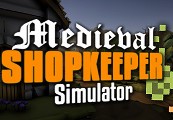
Medieval Shopkeeper Simulator is a medieval management, exploration and adventure game currently under development by Breakfast Studio. Create, manage and expand your merchant empire, explore the borders of the world and properly manage your stores to become the most important trader in the kingdom.Manage your stores, organize your workers, deliver orders, exchange and create unique items, unlock new skills and advantages, hire warriors for adventures, explore the world, resist global events like a plague or a war, plan your financial strategy supporting or confronting the crown and the church, alter the economy of the kingdom and its laws and face consequences of your decisions.Depending on the king or queen that governs, there will be laws that will suit you more or less depending on your way of playing. The world of MSS reacts to every decision and even prices in stores, punishing mistakes with your reputation. Be careful and make wise decisions, visit the seer to reveal future events and prepare yourself to them.
You need a Steam account and the Steam app.
Go to: http://store.steampowered.com/ and download STEAM client Click "Install Steam" (from the upper right corner) Install and start application, login with your Account name and Password (create one if you don't have). Please follow these instructions to activate a new retail purchase on Steam: Launch Steam and log into your Steam account. Click the Games Menu. Choose Activate a Product on Steam... Follow the onscreen instructions to complete the process. After successful code verification go to the "MY GAMES" tab and start downloading.
More adventure on Steam, in board order.
Activates on Steam. Region: Europe.
Activates on Steam. Region: Global.

Activates on Steam. Region: Global.

Activates on Steam. Region: Global.

Activates on Steam. Region: Global.