Activates on Steam. Region: Europe.

Activates on Steam. Region: Global.
State of Play Games
Activates on Steam. Region: Global.
In stock at its regular priceIn stock
Delivered to your account, usually within minutes after payment is confirmed.
Card payment on a hosted page with 3-D Secure.



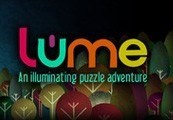
Lume Steam Key Platform: Steam Release Date: 10/05/2011 Product Description Lume: An illuminating puzzle adventure! With a set built entirely out of paper and cardboard, and sumptuously filmed, Lume is a game with a style unlike any other. Power to your grandad’s house has failed. What’s more, he’s nowhere to be seen. Immerse yourself in Lume’s photoreal world, solve perplexing paper puzzles to help restore the power, and uncover a deeper mystery behind the blackout. This game forms Part 1 of a larger, ongoing story. System Requirements PC System Requirements OS: Windows XP, Vista, 7 Processor: 1.8 Ghz Memory: 1 GB RAM Hard Disk Space: 25 MB available hard drive space Video Card: 800 x 600 minimum screen resolution Mac System Requirements OS: OS X version Leopard 10.5.8, Snow Leopard 10.6.3, or later. Processor: 1Ghz Memory: 1 GB RAM Hard Disk Space: 25 MB available hard drive space Video Card: 800 x 600 minimum screen resolution Linux System Requirements OS: Ubuntu 12.04 LTS Processor: 2.5Ghz Memory: 2GB Graphics: Hard Drive: 35MB Important: Requires Librarys: apt-get install ia32-libs
You need a Steam account and the Steam app.
Go to: http://store.steampowered.com/ and download STEAM client Click "Install Steam" (from the upper right corner) Install and start application, login with your Account name and Password (create one if you don't have). Please follow these instructions to activate a new retail purchase on Steam: Launch Steam and log into your Steam account. Click the Games Menu. Choose Activate a Product on Steam... Follow the onscreen instructions to complete the process. After successful code verification go to the "MY GAMES" tab and start downloading.
More adventure on Steam, in board order.
Activates on Steam. Region: Europe.
Activates on Steam. Region: Global.

Activates on Steam. Region: Global.

Activates on Steam. Region: Global.

Activates on Steam. Region: Global.