Activates on Steam. Region: Global.

Activates on Steam. Region: Global.
Coytek Games · 2024
Activates on Steam. Region: Global.
In stock at its regular priceIn stock
Delivered to your account, usually within minutes after payment is confirmed.
Card payment on a hosted page with 3-D Secure.



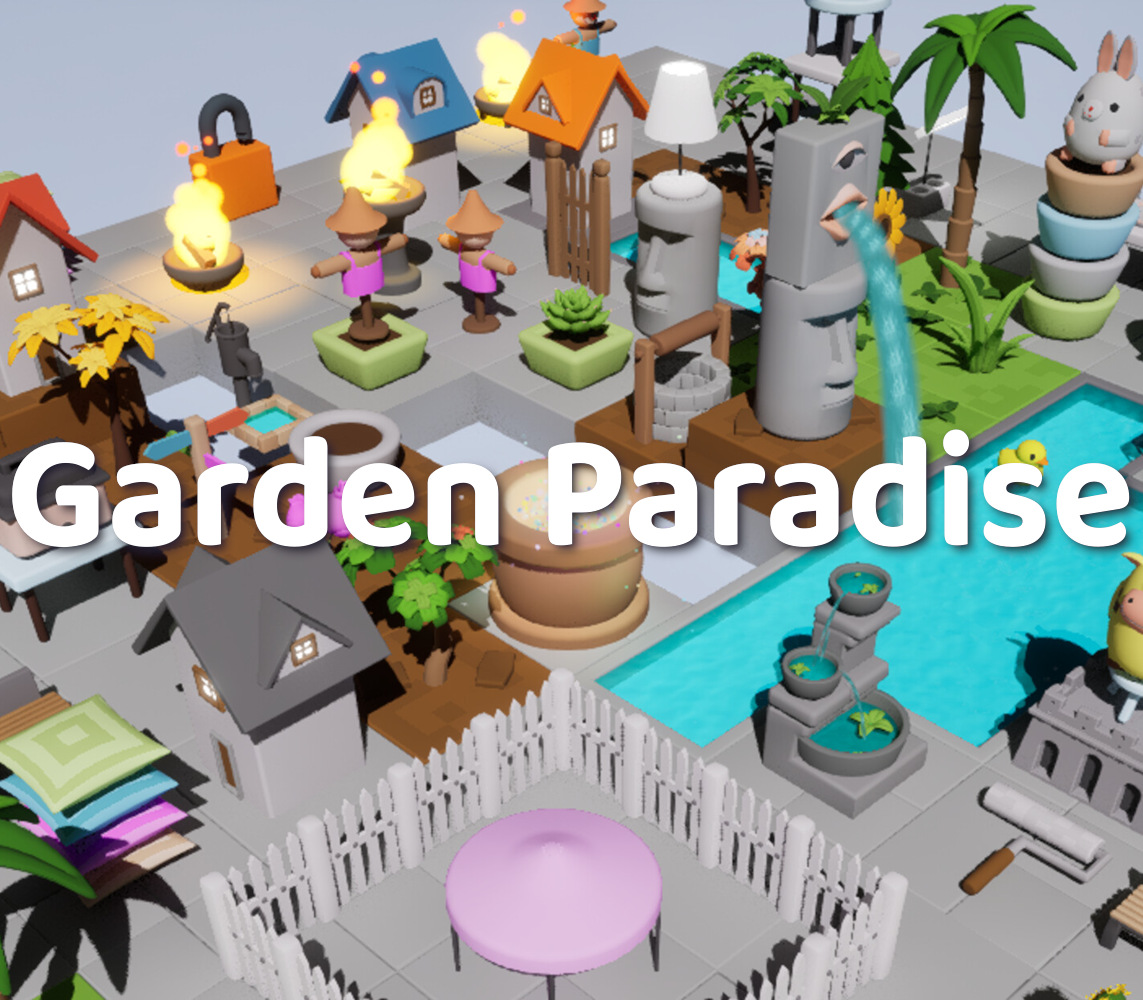
Welcome to "Garden Paradise", a game focused on leisure and relaxation. Here, you can design your ideal garden by dragging and placing various units. Whether you want to create a peaceful flower garden or a lively outdoor entertainment area, this game can fulfill your design needs. The gameplay of "Garden Paradise" is very simple yet enjoyable. The game randomly generates various units, which you can drag and drop to the designated positions to implement your garden design. The game offers a wide variety of unit types for you to freely combine:Ground: Basic paving units that define the basic outline of the garden.Vegetable Patch: Where you can grow various vegetables and flowers, adding a natural atmosphere.Pond: Adding water elements to make the garden more lively.House: The core building of the garden, which can be a small cottage or a villa.Fountain: Decorative water feature that enhances the aesthetics of the garden.Tables and Chairs: Furniture for rest and entertainment.Fences: Divide the garden area and increase privacy.Well: Traditional element that adds a rustic charm.Other small items: Enrich the details of the garden, such as lanterns, flower pots, etc. In addition to simple dragging and placing, some units in the game also have interactive functions:Rotation: Most units can be rotated, making it convenient for you to arrange them from different angles.Lamp: Can be turned on and off, creating different lighting effects. Piggy Bank: Can save game data, ensuring that your design is not lost.Color Palette: Can change the background color, making your garden design more personalized.
You need a Steam account and the Steam app.
Go to: http://store.steampowered.com/ and download STEAM client Click "Install Steam" (from the upper right corner) Install and start application, login with your Account name and Password (create one if you don't have). Please follow these instructions to activate a new retail purchase on Steam: Launch Steam and log into your Steam account. Click the Games Menu. Choose Activate a Product on Steam... Follow the onscreen instructions to complete the process. After successful code verification go to the "LIBRARY" tab and start downloading.
More indie on Steam, in board order.
Activates on Steam. Region: Global.
Activates on Steam. Region: Global.

Activates on Steam. Region: Global.

Activates on Steam. Region: Global.

Activates on Steam. Region: Global.
