Activates on Steam. Region: Global.
Activates on Steam. Region: Global.
Legend Studio
Activates on Steam. Region: Global.
In stock at its regular priceIn stock
Delivered to your account, usually within minutes after payment is confirmed.
Card payment on a hosted page with 3-D Secure.



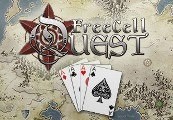
FreeCell Quest Steam CD Key Platform: Steam Release Date: 19 Oct 2015 Product Description FreeCell Quest is an RPG FreeCell game. You’ve never played FreeCell like this before! When an archmage takes control of the entire continent of Selvarin, the world’s most powerful wizards try and fail to defeat him in battle. You are a young wizard, a master of cards, and you may have what it takes to outwit him. The better you play, the stronger you become. Get heroic loot and collect cards to unlock new free cells. Level up to become more powerful and gain amazing skills. Travel across a vast and mysterious land, playing game after game as you prepare for your final battle. Features Play free cell battles with up to 8 suits of cards. Gain rewards and experience from your victories. Find and buy awesome loot to become more powerful. Learn spells to help you with the difficult challenges. Collect cards to unlock more free cells. Dodge attacks coming from buried cards by uncovering them. Enjoy exploring a huge world with over 500 unique towns on your epic quest of card sorting! System Requirements PC System Requirements OS: XP+ Processor: SSE2 instruction set support. Graphics: DX9 (shader model 2.0) capabilities; generally everything made since 2004 should work. DirectX: Version 9.0 Mac System Requirements OS: 10.7+ Processor: SSE2 instruction set support. Graphics: DX9 (shader model 2.0) capabilities; generally everything made since 2004 should work. Linux System Requirements OS: Ubuntu 10.10+, SteamOS+ Processor: SSE2 instruction set support. Graphics: DX9 (shader model 2.0) capabilities; generally everything made since 2004 should work.
You need a Steam account and the Steam app.
Go to: http://store.steampowered.com/ and download STEAM client Click "Install Steam" (from the upper right corner) Install and start application, login with your Account name and Password (create one if you don't have). Please follow these instructions to activate a new retail purchase on Steam: Launch Steam and log into your Steam account. Click the Games Menu. Choose Activate a Product on Steam... Follow the onscreen instructions to complete the process. After successful code verification go to the "MY GAMES" tab and start downloading.
More rpg on Steam, in board order.
Activates on Steam. Region: Global.
Activates on Steam. Region: Global.

Activates on Steam. Region: Global.
Activates on Steam. Region: Global.
Activates on Steam. Region: Global.