Activates on Other. Region: Global. Software licence.
Activates on Other. Region: Global. Software licence.
Activates on Other. Region: Global. Software licence.
In stock at its regular priceIn stock
Delivered to your account, usually within minutes after payment is confirmed.
Card payment on a hosted page with 3-D Secure.



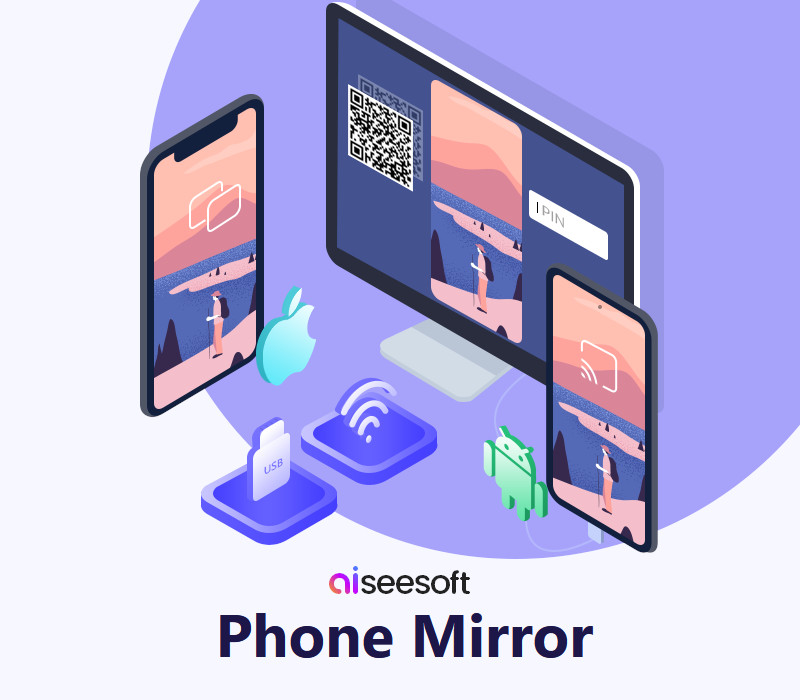
Aiseesoft Phone Mirror enables users to mirror their iOS/Android devices to the computer easily, simultaneously, and stably. Besides, users can cast their phone screens to the PC without quality loss. Moreover, it allows connecting multiple mobile devices with the latest operating systems like iOS 16, Android 12, etc. Features Mirror All Content Shown on Phone Screen to PC in Real-TimeWant to play videos stored in your iPhone on a larger screen? Do you not want to waste time transferring media files from your phone to the computer? You can use Aiseesoft Phone Mirror to cast the screen of your iOS/Android phone to your computer to solve these problems easily. In addition, when you are playing music and mobile games, sending messages to others, viewing a PPT file, and operating other apps on your mobile devices, you also can use this phone mirror software to make viewing these activities on the desktop come true. Flexible Ways to Mirror iOS/Android Phones to ComputersAiseesoft Phone Mirror offers different methods of connecting for you to select. It supports building the connection between mobile devices and laptops with Wi-Fi. If you are an iOS user, you have to ensure that your device and the computer are connected to the same WLAN and open the Screen Mirroring to connect. If you are an Android user, you can mirror your phone with Wi-Fi by scanning the QR code or inputting the PIN code. But, when you have to mirror your phone without Wi-Fi, you also can cast your Android phone screen to a PC with a USB. Mirror Various Mobile Devices to PC Steadily and SafelyAiseesoft Phone Mirror provides a stable and safe environment for users during screen casting. Thus, you can mirror your phone screen smoothly and don't have to worry about revealing your privacy. What's more, it is compatible with most iOS devices (iPhone 14 Pro Max/14 Pro/14 Plus/14, iPhone 13 Pro Max/13 Pro/13/13 mini, iPhone SE 3, iPhone 12 Pro Max/12 Pro/12/12 mini, and all models of iPad Pro, iPad Air, iPad mini, iPad, etc.) and Android devices (Samsung, Sony, HTC, LG, Motorola, HUAWEI, Xiaomi, OPPO, Vivo, Google Phone, and more).
You need an account with the service named in the activation notes.
Download the installation file https://www.aiseesoft.com/phone-mirror/reference.html. Install it and launch the software. Use the registration code you received to register the program and done. Enjoy the full features.
More on Other, in board order.
Activates on Other. Region: Global. Software licence.
Activates on Other. Region: Global. Software licence.

Activates on Other. Region: Global. Software licence.

Activates on Other. Region: Global. Software licence.

Activates on Other. Region: Global. Software licence.